
Getting started
STEP 1:Installation of the connector addon in Odoo
The connector can be downloaded from the Odoo apps store or its GitHub repository. Only the frePPLe app should be installed from this repository, the other apps (freppledata and autologin) are for testing and development purposes only.Make sure to install the branch corresponding to your Odoo version.If your Odoo instance is running in multi-database mode, then you need to add the frePPLe addon as a server wide module. This is achieved by updating an option in the Odoo configuration file odoo.conf: “server_wide_modules = web,frepple”You can skip this step for single-database Odoo configurations.STEP 2: Choose how you will run frePPLe
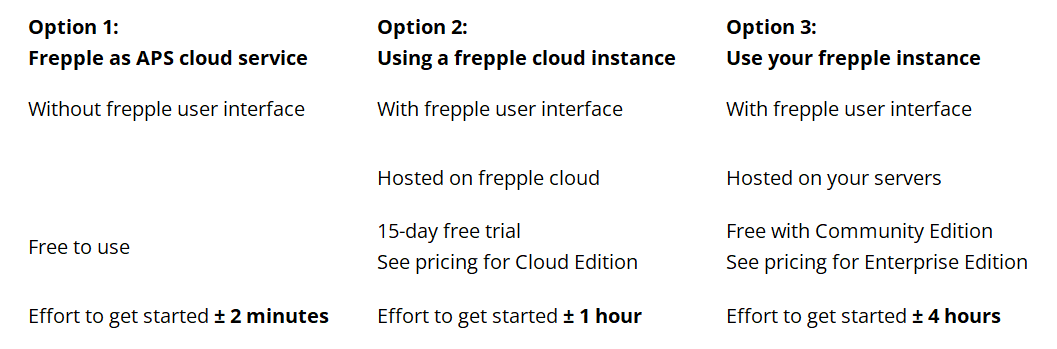
We have 3 options to install and configure frePPLe. In increasing order of complexity, these are:
Don’t install frePPLe, but use the frePPLe cloud service.
This is the easiest way to get started. After installing the addon, you can immediately send your odoo data to the frePPLe cloud service. The service sends the key actions in your plan back to your odoo instance.
This setup is recommended for a trial, and for companies with simple planning needs. The main limitation of this setup is that you don’t have the frePPLe user interface to review and analyze the planning results.
This option is plug-and-plan, and gets you up and running in minutes.
Use a frePPLe instance on the frePPLe cloud.
You can register for a 15-day free trial on the frePPLe cloud and connect your Odoo instance to it.
In this option you have access to the frePPLe user interface with all its features, without having to install and configure frePPLe.
This setup is recommended for trials. Many companies continue to use the frePPLe cloud after a successful trial since it removes the learning curve and maintenance overhead of a local installation.
Install and configure your own frePPLe instance.
For techy die-hards or companies with strict security policies, there is the option to install a frePPLe instance on your own servers.
STEP 3: Follow the instructions for your chosen option
OPTION 1: Using the frePPLe APS cloud service
After installing the connector addon in Odoo, you can immediately send your Odoo data to the frePPLe cloud service. Use the “generate recommendations” button in the Odoo interface to send your data to the frePPLe cloud service.
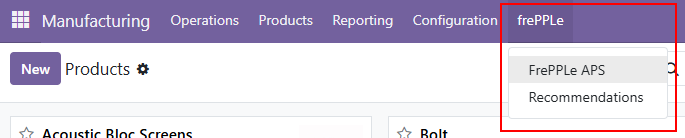
Collecting all Odoo data, sending them to the frePPLe cloud service, and letting frePPLe process the data can take 5 to 10 minutes. Once it’s finished you get a set of actions to take in Odoo.
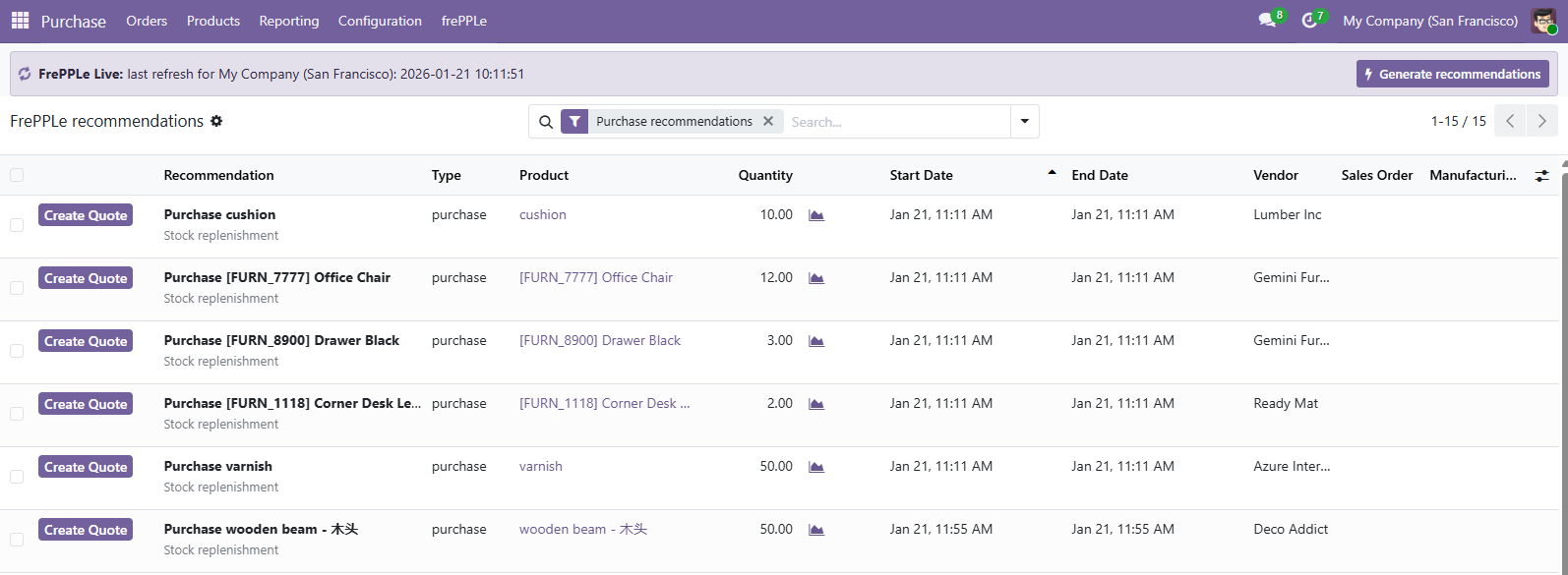
You can directly take actions on these recommendations:
Draft a new purchase order
Draft a new manufacturing order
Reschedule an existing manufacturing order
OPTION 2: Using the frePPLe cloud with a trial account
- Register for a 15-day free trial on the frePPLe cloud.It takes only a minute to fill out the form and wait for the confirmation email that lets you know your environment is ready.
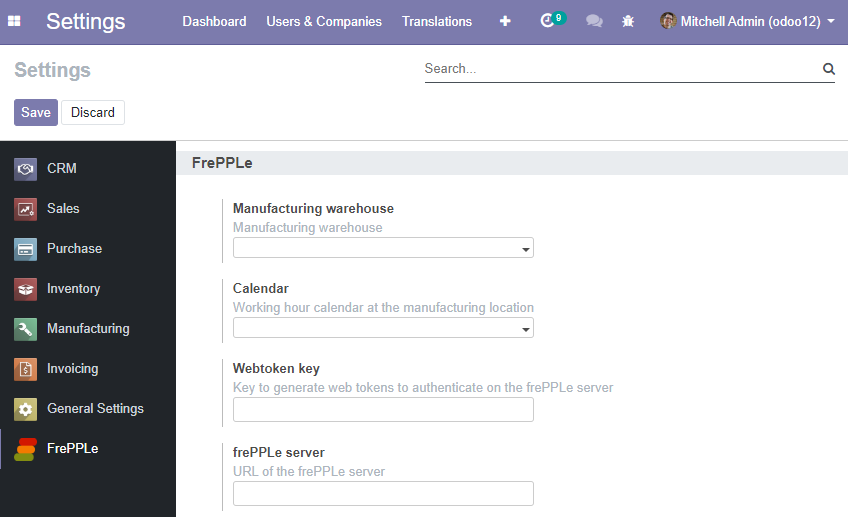
- Configure the Odoo addonThe module adds some configuration on the company. You can edit these from the company edit form or from the settings.Edit these parameters, and leave the other parameters at their default values:
- Webtoken key:A secret random string used to sign web tokens for a single signon between the Odoo and frePPLe web applications. Choose a string that is long enough, random and contains a mix of lower case characters, upper case characters and numbers.
- Manufacturing warehouse:The connector assumes each company has only a single manufacturing location.All bills of materials are modeled there.
- Frepple server:URL of your frePPLe server.
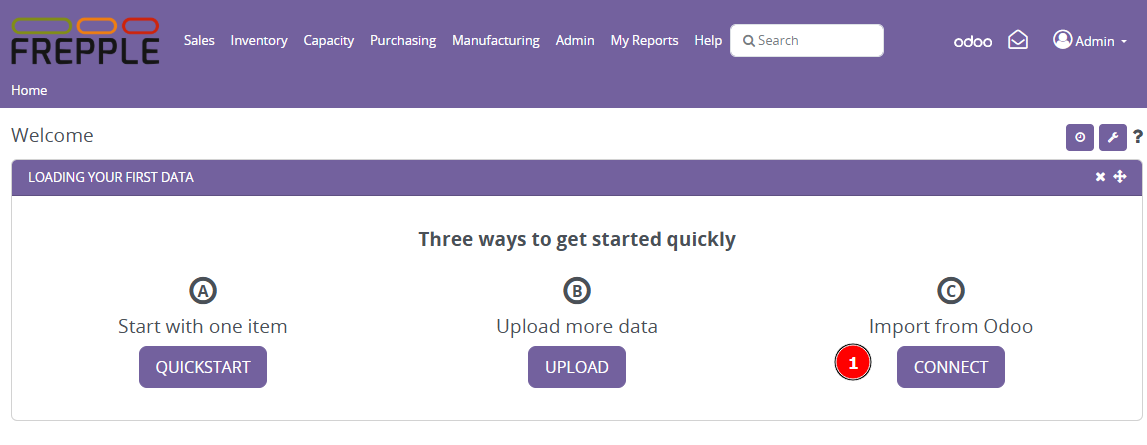
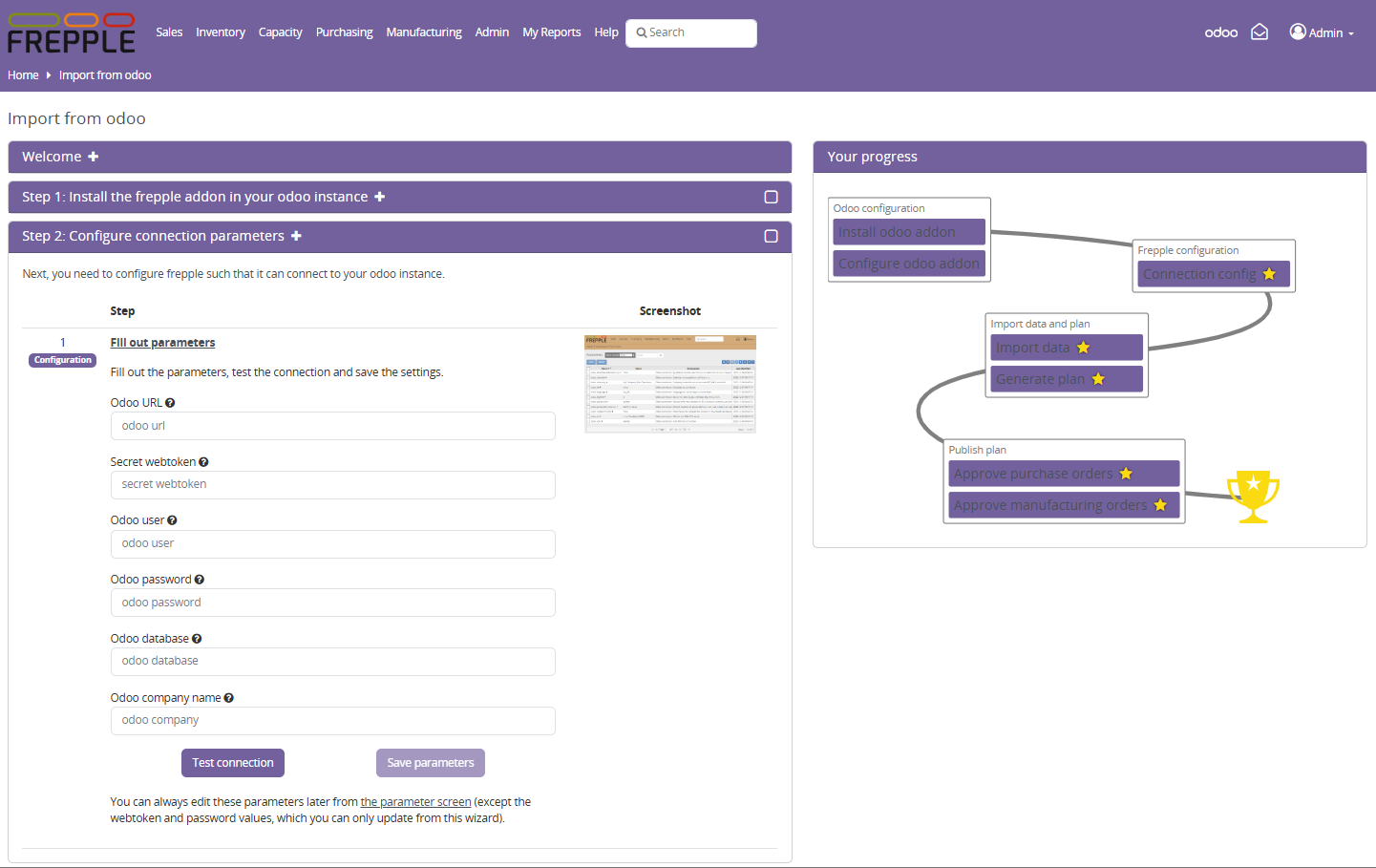
- Configure frePPLeA wizard on the home screen guides you through the steps to connect to your odoo instance. Test the connection and save the configuration.
OPTION 3: Installing frePPLe on your own infrastructure
You will need knowledge of Linux, Docker and PostgreSQL to complete the installation.
Follow the instructions in the frePPLe installation guide to install and configure your own frePPLe instance.
Use the same configuration steps as in option 2 to connect your Odoo instance to your frePPLe instance.