

Addition of menus in Odoo
After installation, users find the following additional features in odoo:
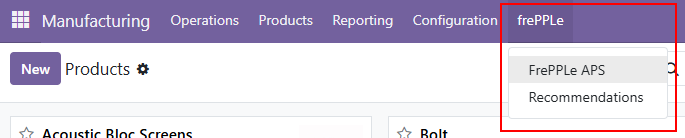
- The menu bar in the sales, purchase, inventory and manufacturing apps get 1) a link to open the frepple user interface and 2) a link to the recommendation list.
- Note: When connected to the Advanced Planning and Scheduling Service, the link to the frePPLe user interface is showing an information message because there is no dedicated frePPLe instance.
Addition of extra views and fields in Odoo
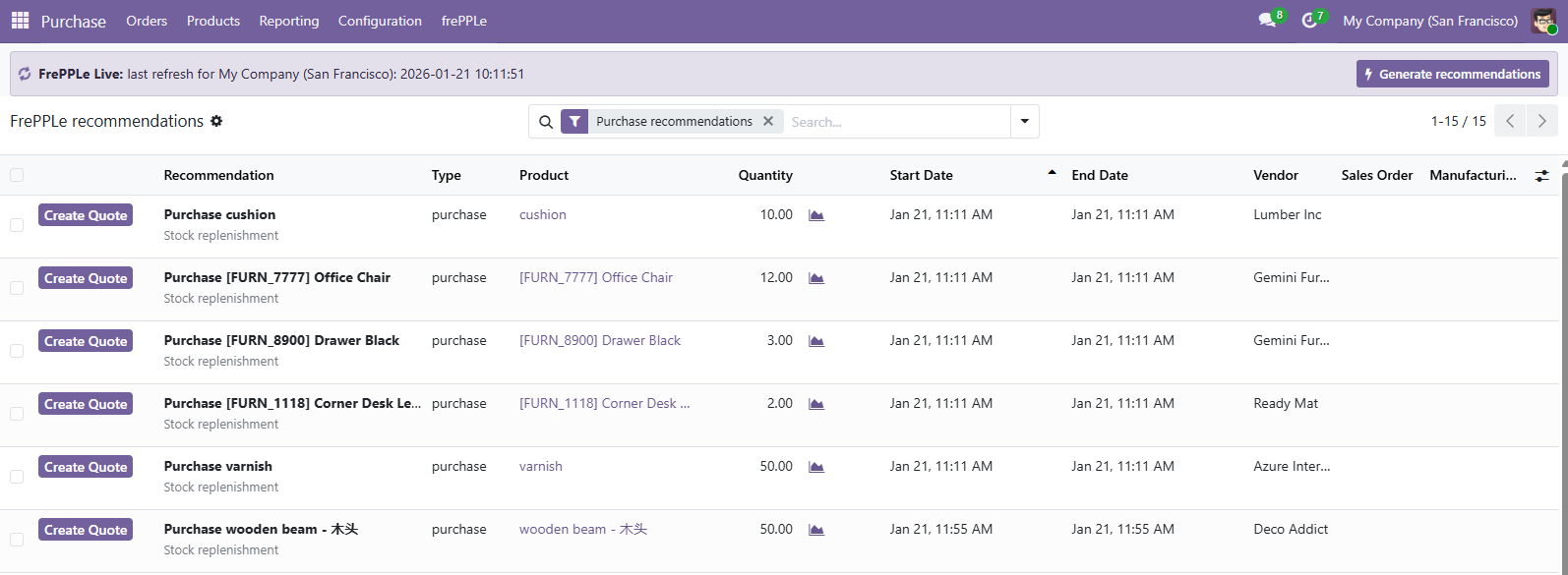
- A new table has been added to Odoo with frepple recommendations on your plan.The frepple recommendations represent a list of actionable activities relevant for the short term plan in Odoo.
- Purchase orders to be placed within the new 2 weeks.When accepting the recommendation, a RFQ is created in Odoo.
- Manufacturing orders to be created within the next week.When accepting the recommendation, a draft Manufacturing order is created in Odoo.
- Manufacturing orders to be rescheduled to a new date.When accepting the recommendation, the scheduled start of the manufacturing order and its work orders are updated to the start date computed by frePPLe.
- Sales order delay recommendations inform the Odoo users about sales orders where the promised delivery date is infeasible.This is an information-only recommendation.
- Because some manufacturing concepts do not exist in odoo, the manufacturing app has been enhanced to include the following objects.
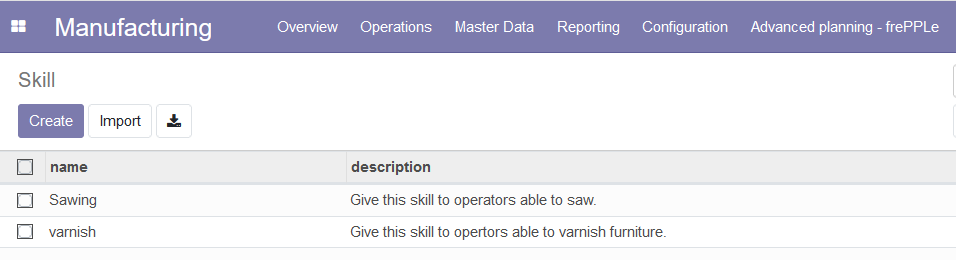
- SkillsThe concept of skill where a work center can have one or more skill has been added into odoo. A skill link is visible in the Master Data menu. This table is equivalent to the frePPLe ../../model-reference/skills table, used to define the available skills.
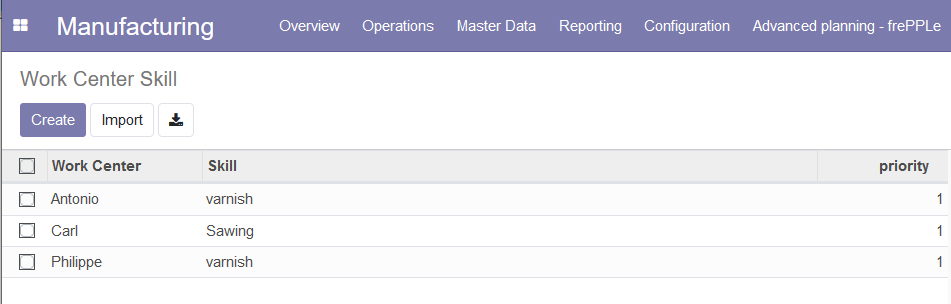
- Work Center SkillThis table is equivalent to the frePPLe ../../model-reference/resource-skills table. This table is used to assign skill(s) to a work center.A Work Center Skill link has been added in the Master Data menu.
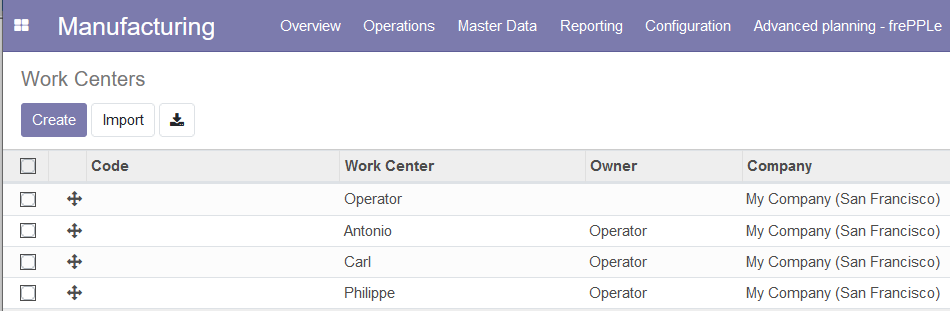
- Work centersNew fields owner and constrained have been added to the work centers.The owner field allows the planner to define a parent work center.The constrained flag specifies whether frepple should plan this workcenter with infinite capacity or not.
- OperationsIn the Operations view of Odoo, 4 new fields have been added: Skill, Search Mode, Priority and secondary work center.Because it is not uncommon that an operation requires more than one work center to run, the connectors off the possibility to configure one or more secondary work centers.This table is the equivalent to the frePPLe ../../model-reference/operation-resources table.
