

Addition of menus in Odoo
Important
This page applies to Odoo 19. See this page for earlier versions.
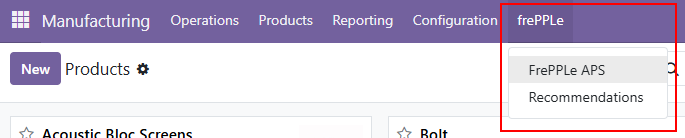
After installation, users find the following additional features in odoo:
- The menu bar in the sales, purchase, inventory and manufacturing apps get 1) a link to open the frepple user interface and 2) a link to the recommendation list.
Addition of extra views and fields in Odoo
Important
This page applies to Odoo 19. See this page for earlier versions.
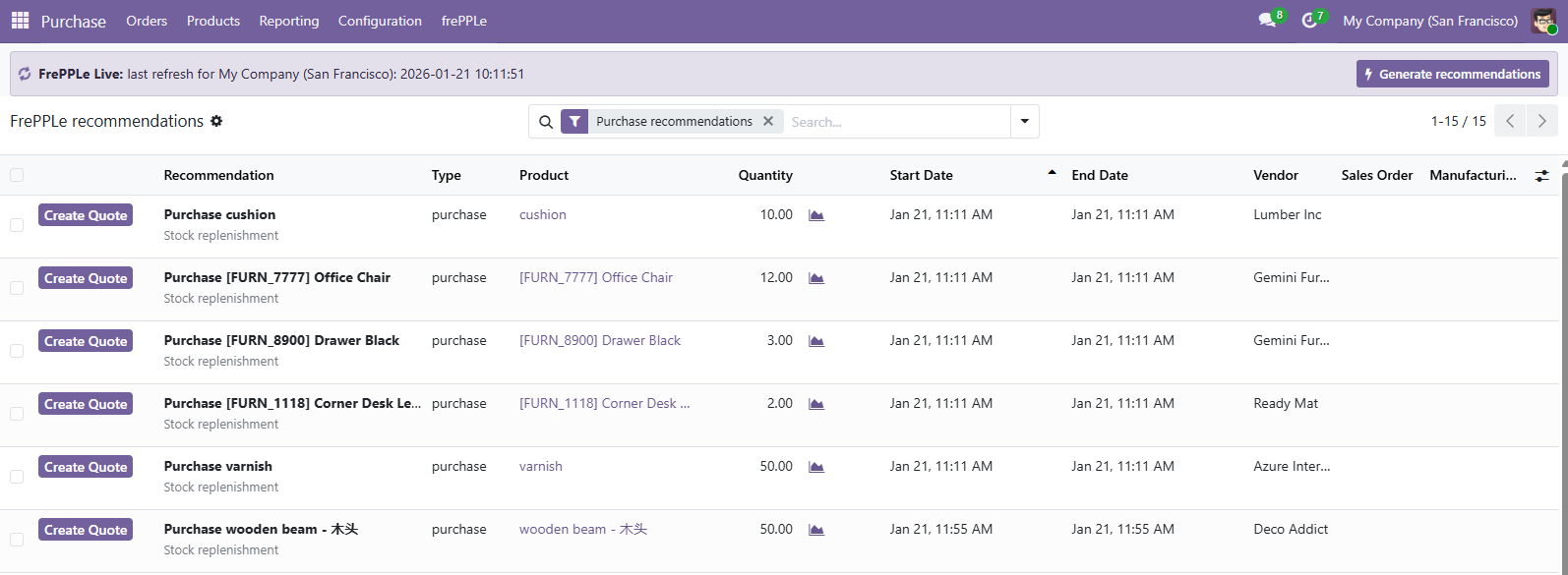
- A new table has been added to Odoo with frepple recommendations on your plan.The frepple recommendations represent a list of actionable activities relevant for the short term plan in Odoo.
- Purchase orders to be placed within the new 2 weeks.When accepting the recommendation, a RFQ is created in Odoo.
- Manufacturing orders to be created within the next week.When accepting the recommendation, a draft Manufacturing order is created in Odoo.
- Manufacturing orders to be rescheduled to a new date.When accepting the recommendation, the scheduled start of the manufacturing order and its work orders are updated to the start date computed by frePPLe.
- Sales order delay recommendations inform the Odoo users about sales orders where the promised delivery date is infeasible.This is an information-only recommendation.
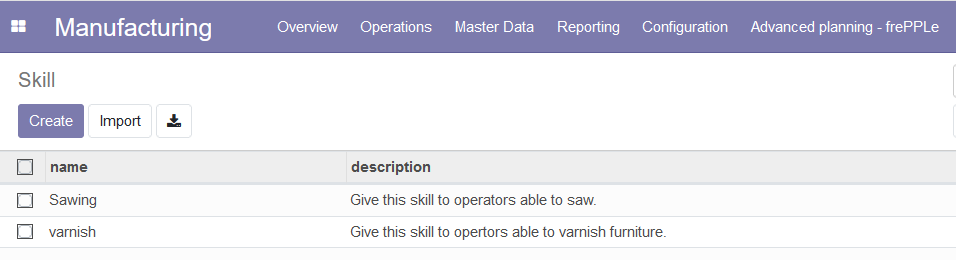
- Because some manufacturing concepts do not exist in odoo, the manufacturing app has been enhanced to include the following objects.
- SkillsThe concept of skill where a work center can have one or more skill has been added into odoo. A skill link is visible in the Master Data menu. This table is equivalent to the frePPLe ../../model-reference/skills table, used to define the available skills.
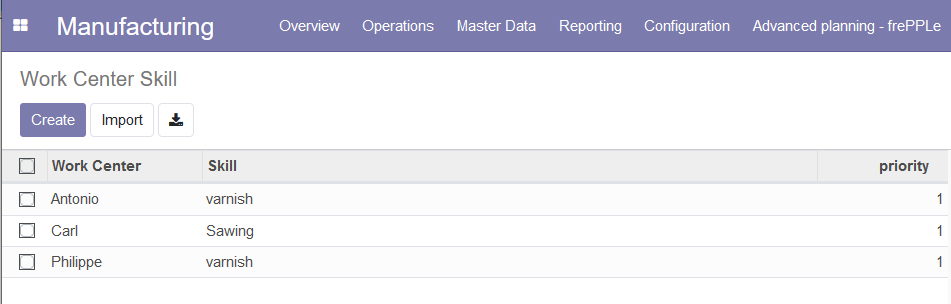
- Work Center SkillThis table is equivalent to the frePPLe ../../model-reference/resource-skills table. This table is used to assign skill(s) to a work center.A Work Center Skill link has been added in the Master Data menu.
- Work centersNew fields owner and constrained have been added to the work centers.The owner field allows the planner to define a parent work center.The constrained flag specifies whether frepple should plan this workcenter with infinite capacity or not.
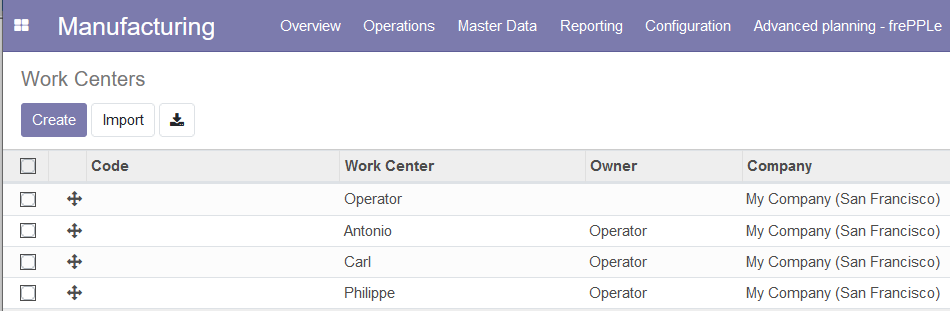
- OperationsIn the Operations view of Odoo, 4 new fields have been added: Skill, Search Mode, Priority and secondary work center.Because it is not uncommon that an operation requires more than one work center to run, the connectors off the possibility to configure one or more secondary work centers.This table is the equivalent to the frePPLe ../../model-reference/operation-resources table.

Quoting capabilities
Important
This page applies to Odoo 19. See this page for earlier versions.
Starting from Odoo 17, the connectors also allow the planner to use the frePPLe quoting module from Odoo.
To activate this functionality for an Odoo user, this user needs to be part of the frePPLe quoting user group.
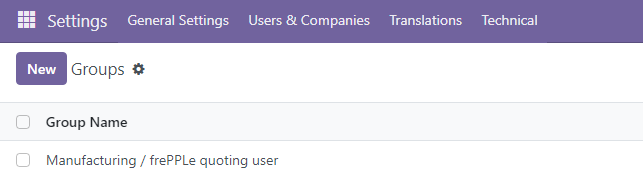
- The quoting capabilities brought by the connectors offer 2 distinct possibilities:
Addtion of a quote button at the bottom of the other info tab of the quotations in the sales app.
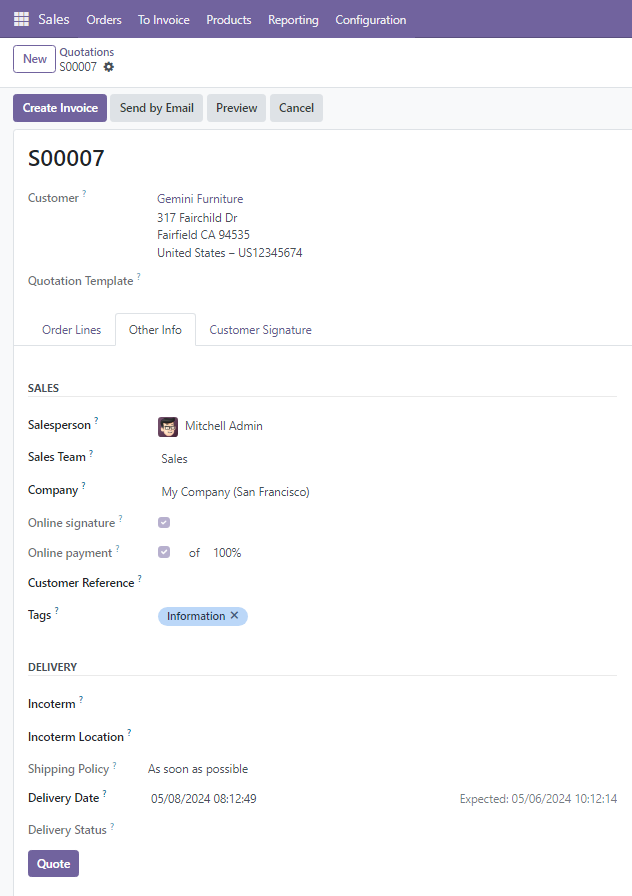
If the Delivery Date field is empty, clicking on the Quote button will fill this field with the first possible date to deliver this quotation.
If the Delivery Date field contains a date, clicking on the Quote button will check if it is possible to deliver the quotation at the delivery date. If it is possible, the Delivery Date remains unchanged. If it is not possible, the delivery date is updated with the new date (that can only be later than the old one).
Note that, if the quotation contains multiple lines, the proposed delivery date will be the latest of all the lines.
In the message section, planning information is added for each quotation line:
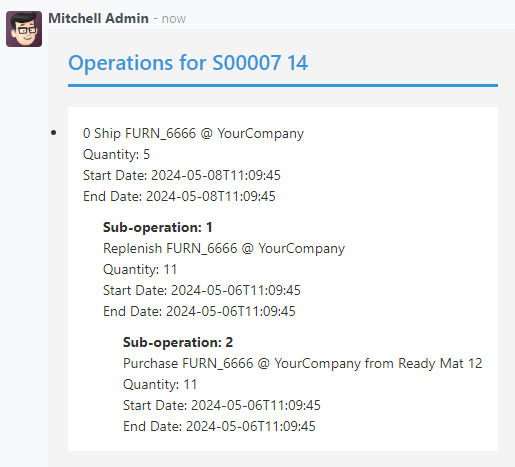
Addtion of a FrePPLe Quotes view accesible with a menu.
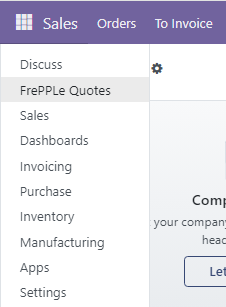
The frePPLe Quotes screen allows the planner to get in a matter of seconds a promised date for a product.
The planner needs to fill the quote information (product, quantity, warehouse…) and hit the quote button.
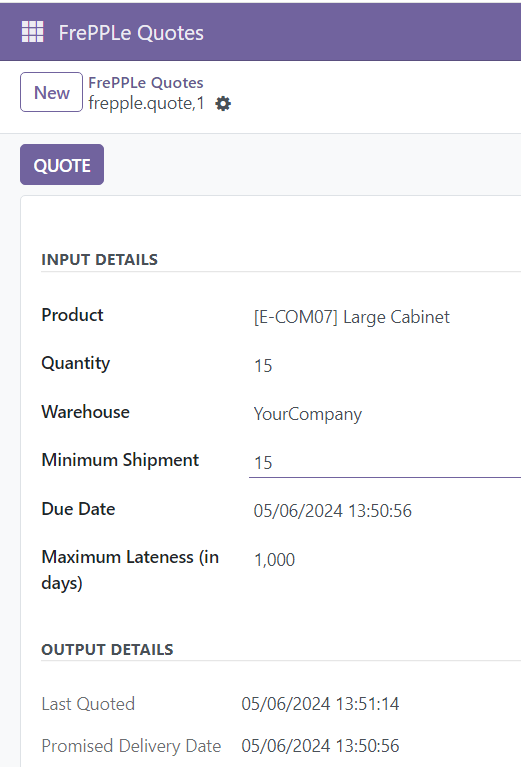
From the main screen of the Frepple Quotes, a bulk quote action is also available to allow the planner to compute a promised date for multiple lines at a time.