NFC login
Important
This app is only available in the Enterprise and Cloud Editions.
The app allows users to log in using an NFC tag or a QR code. It is intended for use in a shop floor environment where users need to log in and out frequently and easily.
Login with NFC tag
Users can log in by bringing their NFC tag close to the reader or by scanning a QR code.
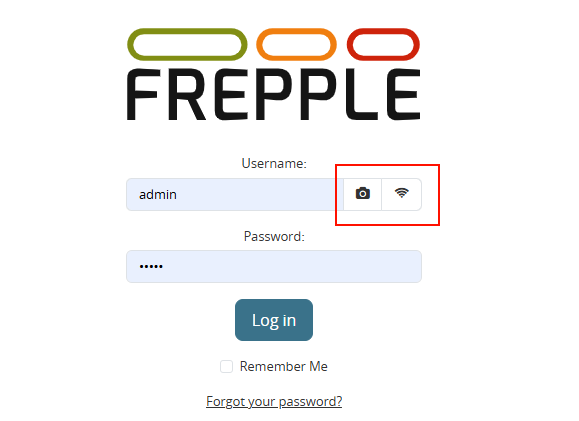
Two buttons are added to the login screen:
- A NFC icon is shown when your device supports NFC. A user can log in by bringing the NFC close to the reader.This requires you grant access to the NFC reader in your browser. This is supported in most modern browsers, but not all.
- A camera icon is shown. When clicked it activates a QR code scanner. This is useful for devices without an NFC reader.This requires you grant access to the camera in your browser. This is supported in most modern browsers, but not all.
Configuration
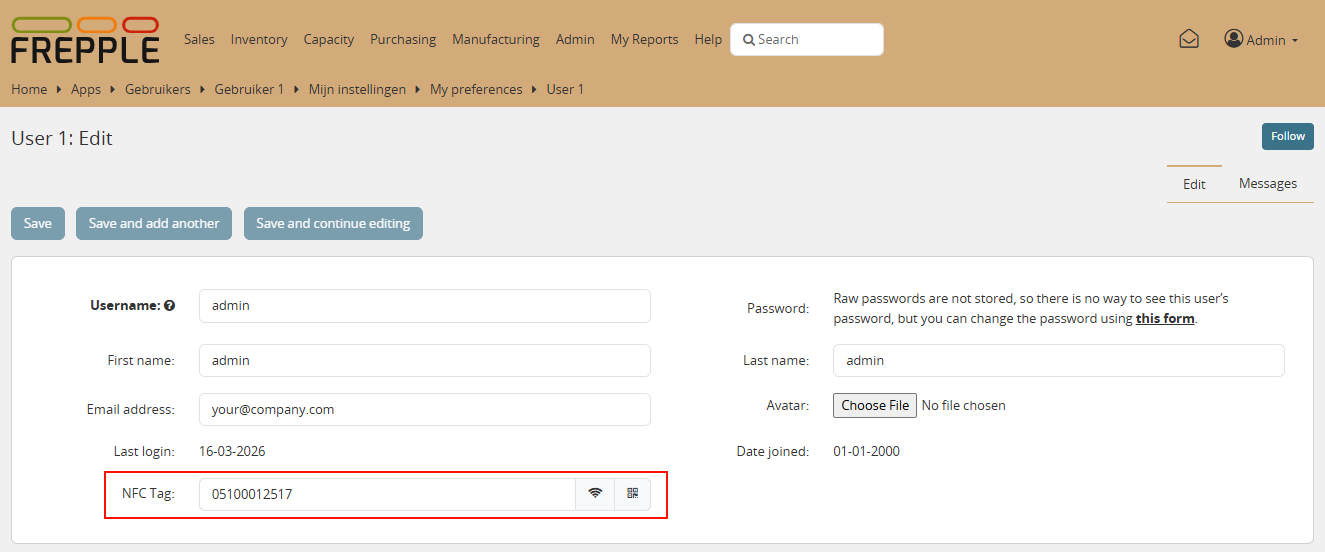
Each user needs to be assigned a unique NFC tag.
This is done in the user administration screen. A new field “NFC tag” is added to the user form. You can either scan the tag or enter the tag ID manually.
You can also generate a QR code for the user. You can print this QR code and glue it to the NFC tag. This is useful as a login method on devices without a NFC reader.