Navigation
Navigating the user interface is easy and intuitive.
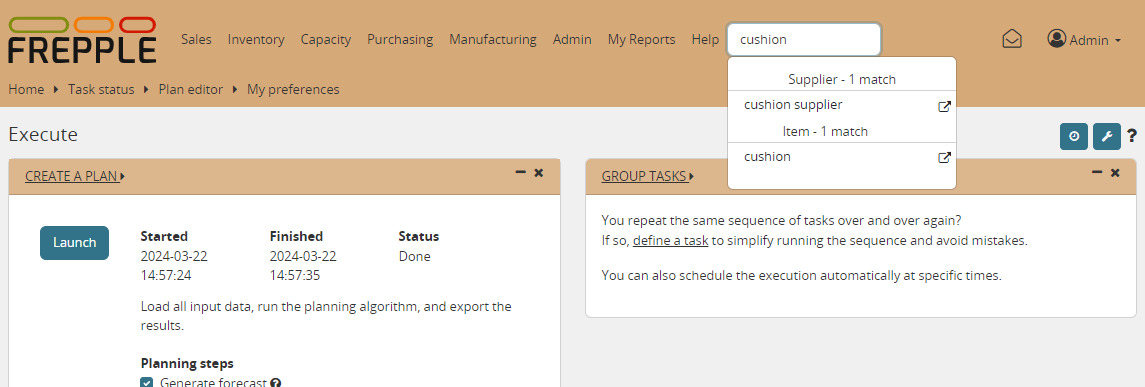
- Menu barDoesn’t need explanation…Screens to which you have no permissions will not be shown in the menu.Worth also to mention that menus are dynamic. For example, Sales orders won’t be displayed in the menus if you don’t have at least one record in Item, Location and Customer tables.
- Jump searchEnter 2 or more characters in the search box, and a list of matching objects is shown to you.
- BreadcrumbsThe breadcrumbs allow you to navigate with a single click to a screen you visited before.
- Detail linksThe modelling objects have an triangular icon next to them. Clicking on it will open a screen with a selection of detailed reports on the object.
The screenshot below illustrates each of these methods.